Get Started With SourceIndex
Welcome to SourceIndex!
SourceIndex plugs into your coding agent as a CLI in Claude Code and OpenCode, and as MCP tools in Codex, so that the agent searches a prebuilt index of your repository and jumps straight to the right files and functions. Want to see it first? Watch the demo.
Before you begin
Make sure you have:
- Python 3.10+ on macOS and Linux. (Windows isn't supported natively yet)
- A code project to work with Claude Code, Codex or OpenCode (only these agents are supported at present)
- A SourceIndex API key (it starts with
sk-si-) — apply for access here
Setup with a Few Steps
- Install SourceIndex.
Show installation steps
macOS & Linux-
pip install sourceindex - Confirm the installation worked.
sourceindex --version - In your repository, set SourceIndex up in your agents.
cd /path/to/your/repositorysourceindex init claude # Claude Code onlysourceindex init codex # Codex onlysourceindex init opencode # OpenCode onlysourceindex init # all
If the repo has no
CLAUDE.mdorAGENTS.mdyet, run/initin your agent first.Heads-up before you run it: SourceIndex sends your source files to our backend for processing — your code isn't stored. Exactly how that works: Security & Data Handling.
-
- Open your agent. Open an existing repository and try to use
claude,codexoropencodeto enter the agent and work with SourceIndex. - Complete your first task using SourceIndex. Ask questions regarding the repository. SourceIndex will be invoked automatically.
Here is the prompt “tell me what this repo for” in each supported agent:
Show examples
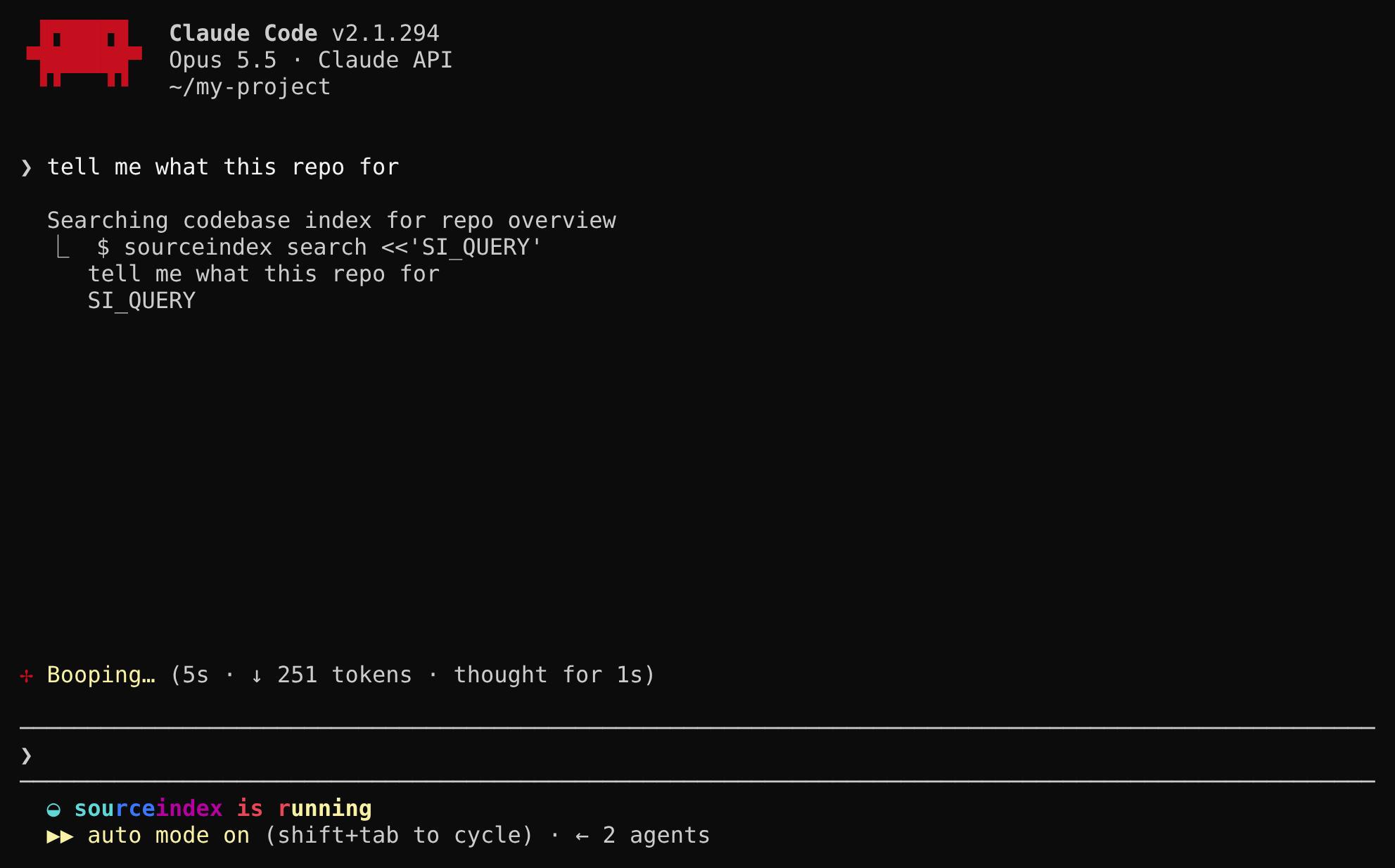
Claude Code. Ask your agent about the code as you normally would. Before it answers, it runs sourceindex searchon its own —inittold it to — and gets back a roadmap of the exact files and functions for the task. While that runs, the status line shows sourceindex is running.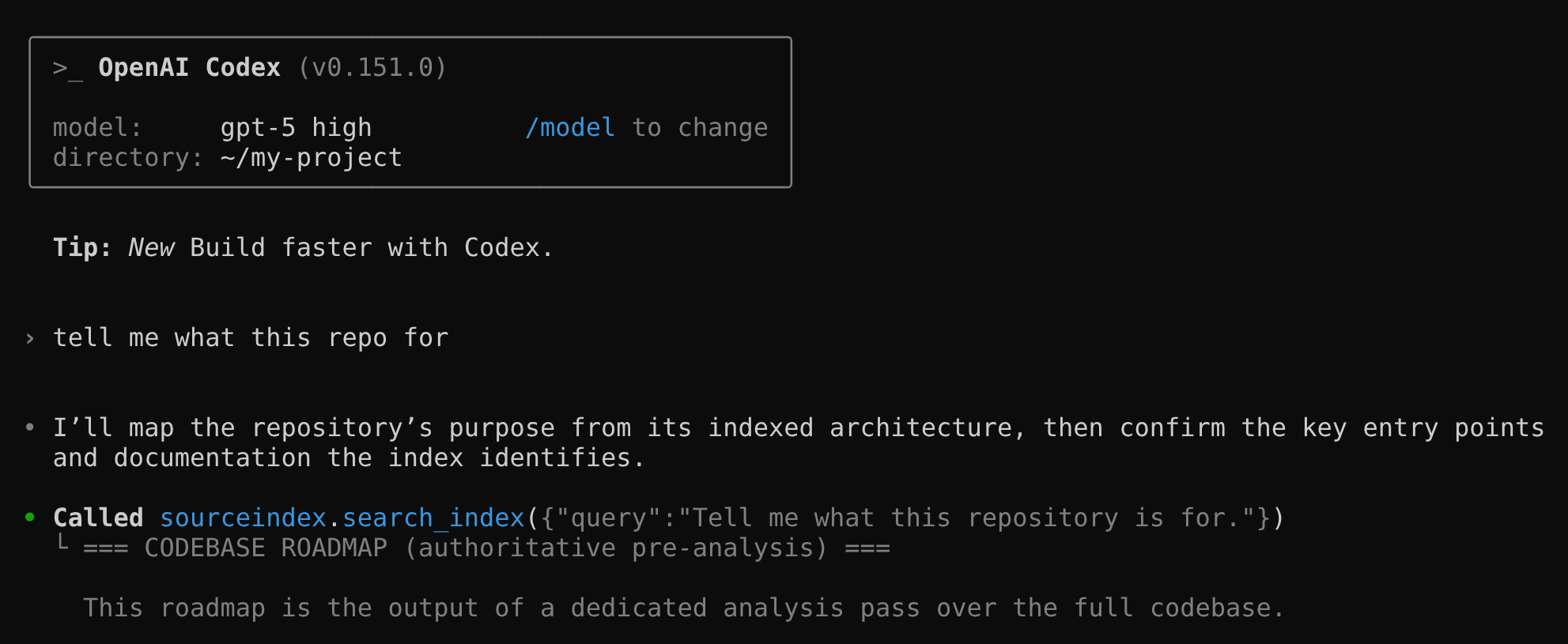
Codex. SourceIndex is registered as an MCP server, so the agent calls its search_indextool first, then reads the exact files and functions the roadmap points to.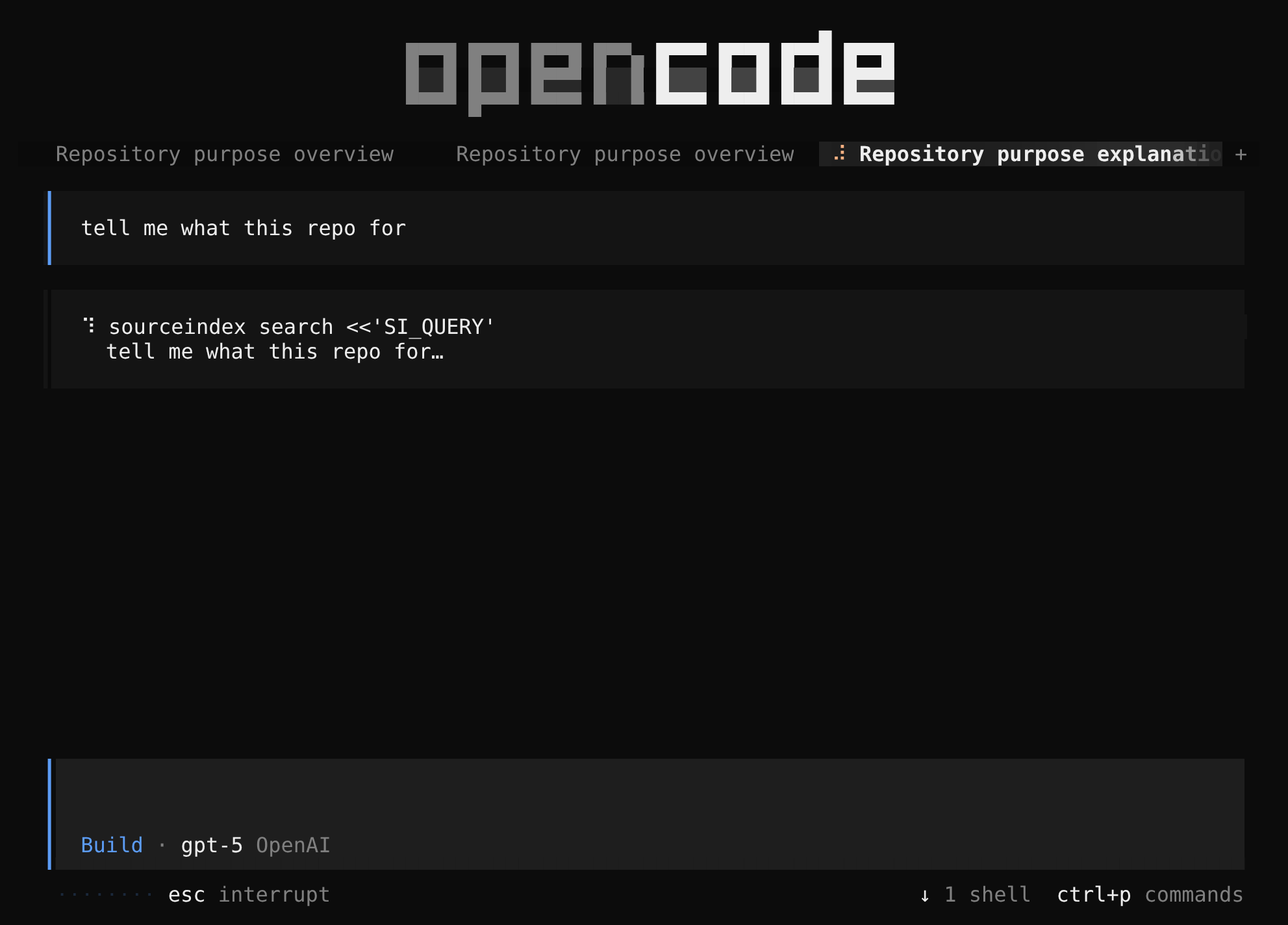
OpenCode. The agent runs sourceindex searchwith your request as the query and gets back a roadmap of the exact files and functions for the task.
Explore SourceIndex
The savings line
After each turn, SourceIndex tells you what it saved in this session and over the past week — an estimate built from your agent's own token counts. Each agent shows it in its own way.
Show the savings line


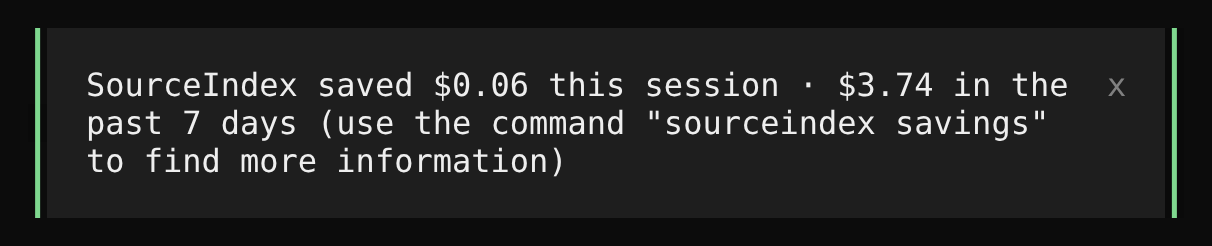
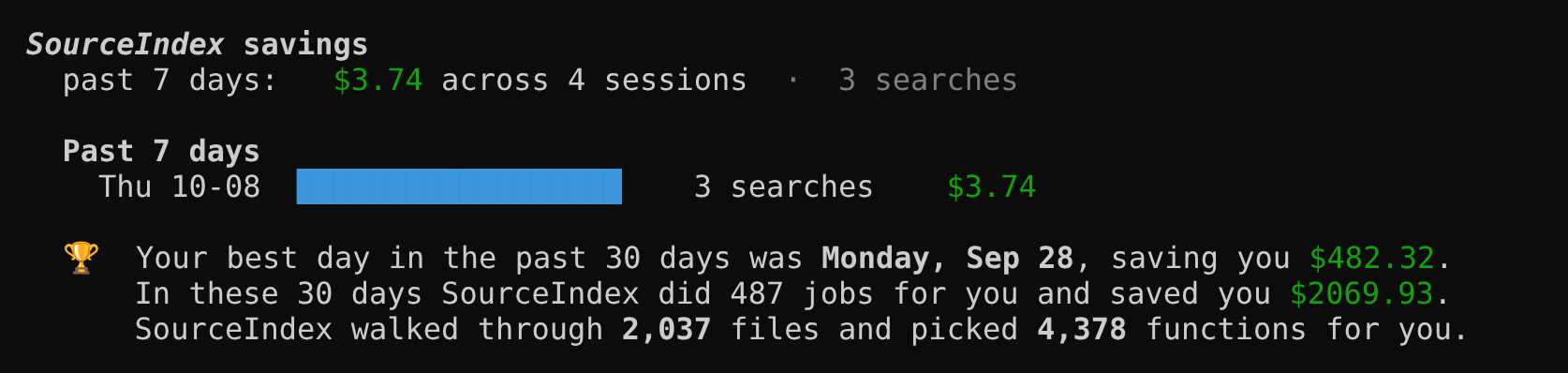
The savings report
Run sourceindex savings in your terminal for the full picture: the past 7 days in total and
day by day, plus your best day and what SourceIndex has handled in the last 30 days.
Show the savings report
Essential commands
Here are the most important commands for daily use. Shell commands run from your terminal.
Shell commands
| Command | What it does |
|---|---|
sourceindex deinit --force |
Remove SourceIndex from a repository |
sourceindex api-key set [KEY] |
Replaces the stored API key. |
sourceindex savings |
Prints the savings from the local ledger. |
sourceindex doctor |
Checks the install end to end. |
Feedback
We're early, and every bit helps — even “I can't tell if it's working” is useful. Write to [email protected].
For more questions, see the FAQ.